Changelog
v0.0.174
Clusters
Choose how an EKS cluster gets its nodes. computeMode on the EKS provisioner picks between managedNodeGroups, where you declare node groups and AstroPulse creates and manages them, and autoMode, where AWS provisions nodes from workload demand and you leave the data plane out entirely. Existing clusters are untouched: omitting computeMode keeps what they already do. The mode is fixed at creation, so choose it when you create the cluster.
Scale a node group to zero. astroctl infra k8s scale my-cluster ng-1 --min 0 --max 10 lets a group drain when nothing needs it, and nodes come back when a pod cannot be placed. Managed node groups on EKS are fixed capacity and cannot go to zero, because nothing would bring them back up: use Auto Mode or the Karpenter add-on there instead.
Kubernetes 1.36 on self-hosted and EKS clusters.
Add-ons
Workload Autoscaling scales your replicas on real demand. A new add-on, available on every provider and provisioner. Scale on queue depth, request rate, database load or a schedule, and all the way to zero when idle. It installs the operator and scales nothing until you say what to scale, so adding it changes nothing on its own. It is Karpenter's counterpart rather than its competitor: this decides how many replicas of your workload run, Karpenter provides the nodes they land on, and they are commonly installed together.
Karpenter is an add-on you install rather than something baked into the cluster. Install, upgrade and remove it like any other add-on, with its own health, version and cost line. On an Auto Mode cluster it is refused, because AWS is already doing that job.
Karpenter no longer advertises GPU capacity it cannot provide. A node pool could report GPU support it was not able to fulfil, which left GPU workloads waiting on nodes that were never going to arrive.
Vulnerability scan reports now expire when you asked them to. The retention you configure reaches the scanner, so reports are kept for the lifetime you set rather than the default one.
Certificate Manager and Vulnerability Scanning updated, to cert-manager v1.21.1 and scanner 0.35.0.
v0.0.173
Nova
Ask Nova without signing in. Nova is now on every page of the site. Ask about AstroPulse, Astro Platform, Nova or astroctl and it answers from the published documentation, linking the pages it used. Signed out, nothing is stored: the conversation lives in the tab and is gone when you close it, and you get five questions a day. Signed in, the same conversation continues in your full Nova workspace.
An answer no longer depends on one provider. Every kind of Nova work now has more than one model behind it, so one provider being slow or unavailable does not end the turn.
Applications
astroctl app resync --force tells you what it will do. Forcing a resync deletes and recreates any resource that cannot be updated in place, so the application can briefly go down. The troubleshooting guide now says so, and points at the full command reference. Reach for it when a resync is stuck, not as a routine refresh.
Security
Signing out ends the session. Logging out now clears the session in every scope it was set, so a signed-out browser cannot resume the previous session.
v0.0.172
Console
The console has been rearchitected, with consistent layout, navigation and controls across every screen.
Light theme. Pick it from the theme selector; it follows your system setting by default.
Applications
Status answers "is this serving?" A live application being re-synced stays RUNNING rather than reporting as provisioning, which had made an app serving for weeks indistinguishable from one that never deployed. The page keeps refreshing until the work settles.
Clusters
Add-ons behave the same way whichever add-on it is. Install, upgrade, resync and uninstall mean the same thing across the catalogue, and an add-on that is re-deploying shows Syncing instead of looking idle.
A failed provider lookup no longer clears a known provider. Detection reads every node.
Platform
Concurrent edits no longer lose one. Two updates to the same organization, cluster or user arriving at once are applied in order.
Security
Dependency updates. No action needed.
v0.0.168
Security
Know what CVEs are in what you are actually running
Vulnerability Scanning is a new managed add-on. Install it on any AstroPulse cluster — provisioned or registered — from the console's Add-ons tab or with astroctl infra k8s addons apply, and the images of your running workloads are scanned continuously for known vulnerabilities. You do not have to configure a scanner, schedule, or database refresh; advanced settings can change the daily rescan cadence when needed.
Findings are attributed to your applications, not to Kubernetes objects. The cluster Security tab gives severity totals and applications and add-ons worst-first; an application's Security tab filters that report to one app, so a developer sees their own service without reading a cluster-wide list. The same summary is available through astroctl infra k8s vulnerabilities, astroctl app vulnerabilities, and Nova.
Nothing unscanned is reported as clean. A known application or add-on with no reported workload says no scan result yet, rather than showing zeros — a zero would read as "scanned, nothing found", which is the one thing this feature must never claim by accident. Every total states the coverage behind it.
"Fixable" means a fixed package version, not a newer image tag. Where a fix exists, the finding names the package version that carries it, and the remedy is to rebuild your image on current packages. For an image you build yourself there is no upstream tag to move to, so we do not suggest one.
Findings are pull-by-default. The console and CLI are where you see them. Alerting is opt-in — you subscribe under Settings → Notifications, and your platform operator enables delivery — so subscribing alone does not start a stream of mail.
Full details in Vulnerability Findings.
Cost and Resource Metrics
On-demand prices outside US East were wrong. Machine prices were looked up against us-east-1 no matter which region the cluster ran in, so every other region reported N. Virginia rates while the figures were stored per region. Prices now come from the cluster's own region.
GPU machines are priced as GPU machines. Accelerator cost is included in the machine price rather than omitted, which had made GPU machine types look far cheaper than they are. If an accelerator cannot be priced, the machine reads unpriced instead of being reported at its CPU-only cost.
A brief pricing-API failure no longer removes machines from the catalog. A machine whose price could not be fetched is listed without a price and retried, rather than disappearing — a missing machine is much harder to notice than a missing price.
API Keys
Manage your keys from the CLI — astroctl auth apikey list, revoke, and delete. Expired keys no longer count against your quota, so keys that lapsed are not silently occupying slots you cannot use.
Platform
Security and reliability hardening — organization ownership is verified before a cloud-connect setup payload is returned, authorization is scoped to the organization on every path that grants access, and concurrent writes to cluster records no longer lose updates. A failed first deployment no longer leaves an application listed with nothing behind it.
v0.0.155
Cost and Resource Metrics
Idle capacity, reported on its own
What no workload asked for is now shown separately. A cluster is billed for capacity nothing requested, for volumes no pod has mounted, and for running the cluster itself. These used to sit in the namespace breakdown, where they read as namespaces with odd names. They now have their own figure, headed by idle capacity, usually the most actionable number on the page, because it is what you are paying for and nothing is using.
The breakdown still adds up. These charges are reported, not dropped: a breakdown without them totals less than your bill with nothing to explain the difference.
See what every application uses, and what it costs. Every application, cluster, and add-on gains Metrics and Cost tabs, with the same data available from the CLI and from Nova.
Metrics and cost both require the Astro agent. The agent works on provisioned and registered clusters across supported providers, and AstroPulse manages its installation and capabilities. Metrics begin within a minute or two of connection; installing Cost Visibility adds money to the same views.
Reserved and used are shown side by side. Your cloud provider bills for cluster capacity, while Kubernetes requests reserve scheduling and burst headroom. A service requesting 5 CPU-hours while using 0.04 on average is worth reviewing, but the gap is not a recommended request: validate bursts, autoscaling, latency, and SLOs before changing it.
Nothing unmeasured is reported as zero. An hour with no report is missing, not free. Charts break the line rather than plotting zero, and every total states the coverage behind it, so a partial window reads as partial instead of as a cheap day.
Add-ons are measured too, because a cluster total that quietly omitted the platform's own add-ons would not reconcile against your bill.
You choose where the prices come from, and nothing is guessed. Point the add-on at your cloud billing export and figures come from the bill your provider actually issued, with committed-use and spot discounts already applied. Supply a price sheet and your own rates are used — the right answer for self-hosted clusters, and for anyone with negotiated pricing. Configure neither and cost reads unpriced: every quantity is still measured in full, and no number is invented from a rate card you never agreed to.
Bring your own credentials where you need to. Cloud billing authenticates with an identity you already trust — a service account on GCP, an IAM role on AWS — and AstroPulse never holds a credential. Where that is not possible, including on Azure, you create a Secret in your own cluster and name it; it never leaves your cluster and AstroPulse stores only the name. If your bill is not in US dollars, set currency so the figures carry the unit your provider actually invoiced.
History: metrics are kept about a day on every plan. Cost history is plan-limited — 1 day on Developer, 395 days on Enterprise, adjustable per organization. Removing a cluster removes its cost history immediately regardless of that limit, and unregister does this as well as delete, so export first if a departing cluster's spend history matters.
Full details in Cost and Resource Metrics.
v0.0.135
Cluster Add-ons
Install ingress, TLS, DNS, and autoscaling as managed add-ons. NGINX Ingress, cert-manager, ExternalDNS, and Karpenter can now be installed with one command on any AstroPulse cluster, provisioned or registered. You declare intent (which add-on, plus a few typed options), and AstroPulse manages the chart, version, rollout, and health. You never touch Helm values, and add-on configuration never contains cloud credentials. Install from the console's new Add-ons tab, or run astroctl infra k8s addons apply -f nginx-ingress.yaml, then watch it converge with astroctl infra k8s addons get <cluster>. Installed together, NGINX, cert-manager (with a Let's Encrypt issuer), and ExternalDNS give every internet-facing app automatic DNS and a trusted TLS certificate. Ready-to-edit example manifests are in astro-platform-apps.
Inspect, debug, upgrade, and roll back. The console Add-ons tab shows each add-on's health and version, and lets you upgrade in place or uninstall behind a confirmation. The CLI supports the same lifecycle used for applications: pull an add-on's status, logs, events, and deploy history; list supported versions; and rollback to a previous version. ExternalDNS and Karpenter reach your cloud using the cluster's own identity (IRSA on AWS, Workload Identity on GCP/Azure), so no keys live in the manifest.
v0.0.134
Custom Domains
Serve your apps on a domain you own — you can now bring a domain your organization controls and serve image applications on it instead of a platform-generated hostname. Claim it with astroctl domain add example.com (or from the new Settings → Domains page in the console), and both the CLI and the console show you the exact DNS TXT record to add at your DNS provider. Once the record is in place, astroctl domain verify example.com confirms ownership — and if DNS hasn't propagated yet, it tells you to wait and retry instead of failing with a cryptic error. After a domain is verified, deploy an image app with externalAccess.domain set to your domain (to auto-generate a hostname like myapp.example.com) or externalAccess.hostname set to an exact hostname under that domain, and the app is served there. You can pass either the domain name or its ID to get, verify, and the other commands, so there's no ID to copy around.
Manage domains from the console — a new Settings → Domains page lists your domains with their verification status, walks you through the TXT record with one-click copy, verifies with a single button, and shows which app hostnames are using each domain. If the page can't reach the backend it says so and offers a retry, rather than looking like you have no domains.
Platform
Reliability and security hardening — broad fixes across cluster registration, deployment progress history, and multi-replica data consistency, along with several security fixes that keep each organization's data correctly isolated. Your clusters, deployments, and history stay accurate and scoped to your organization, even under heavy load.
Clearer errors when the platform is unreachable — if the console briefly can't reach the backend, it now shows an honest "Unable to connect / Try again" state instead of rendering an empty dashboard that looks like your account has no data.
v0.0.125
Applications
Update a profile in place — re-applying an application profile now updates its tier and resource settings instead of erroring that the name already exists, and the update still goes through when your organization is already at its resource quota. Cluster targeting stays fixed while that cluster exists; create a new profile to deploy to different infrastructure.
Clusters
Steadier connectivity status — registered clusters no longer flip between Connected and Disconnected on brief network blips. The platform now waits for a sustained signal before changing the status, so you get fewer false alerts about a cluster that is actually fine.
Nova
A canvas for rich results — detailed Nova output like diagnostics and generated files now opens in a resizable panel beside the conversation, so you can study a full result without losing your place in the chat.
Chat that fits any screen — the Nova chat now adapts cleanly to smaller and mobile viewports, and chat access stays scoped to your active organization when you switch between them.
Platform
Your Kubernetes-style manifests just work — astroctl app apply, astroctl application profile apply, and astroctl infra k8s register now accept a metadata: block. Set metadata.name and leave the spec name empty, and that name is used for your application, profile, or cluster, so manifests you already have drop in unchanged.
Integrations
Connect an extra GitHub account without the browser — astroctl integrations github install now detects a GitHub account that is installed but not yet linked to your organization, including a second account alongside one you already linked, and connects it automatically with no browser round-trip. The GitHub App name now defaults to the right value for whichever platform environment you are on.
v0.0.121
Applications
Rollback is here for applications — when a release goes wrong, you can now roll an app back to a previous version with astroctl app rollback. You see exactly what will change and confirm before anything happens, view the full deploy history with astroctl app history, and (for Git-tracked apps) return to following your branch with astroctl app resume.
Clusters
Tell at a glance if a cluster is reachable — every cluster now shows whether the platform can currently reach it (Connected, Disconnected, or Unknown) and when it was last seen, separate from its lifecycle state. You catch connectivity problems early instead of guessing from a stale status.
Nova
Know what Nova actually did — Nova now shows whether a suggested remediation was applied or declined, so the action taken is always clear.
v0.0.120
Nova
Cleaner, easier-to-follow Nova answers — Nova's responses no longer show internal system jargon, links are correct and clickable in the CLI, and live investigation updates stream smoothly.
v0.0.119
Platform
API keys use the right organization — astroctl and Nova's platform connection now resolve your organization from the API key itself, not from your last interactive astroctl login. A stale local context no longer triggers false "invalid API key" or access-denied errors, so CI automation and Nova-driven workflows stay connected.
v0.0.118
Clusters
Recover a stuck cluster — a cluster could get trapped and refuse to re-register after being moved between organizations or unregistered partway through. Now astroctl infra k8s unregister always frees the cluster so you can register it again, and your cluster is never left in a dead end. Pass --keep-apps to leave your applications running.
Know why a registration failed — when registration is rejected, astroctl infra k8s register status now tells you the real reason instead of sitting on "waiting for agent." If another organization still owns the cluster, it names exactly which organization and cluster to unregister so you can fix it in one step.
Fewer false "unhealthy" alerts — clusters no longer flip to unhealthy on brief, transient blips. The platform now waits for a sustained signal before changing a cluster's status.
v0.0.117
Clusters
High-availability regions — when you create a cluster, only regions with at least three availability zones are offered. Regions with too few zones are filtered out automatically, so every new cluster can spread its control plane and workloads across zones.
More reliable unregister — astroctl infra k8s unregister now removes platform-managed applications before removing the cluster agent, so cleanup completes reliably with nothing left behind. Pass --keep-apps to leave the applications running.
Platform stability — broad reliability hardening so clusters and deployments stay healthy and responsive under heavy load.
Nova in the CLI
Richer investigation output — astroctl nova now renders ranked root causes and workflow steps inline, and shows artifact download links directly in the conversation.
Cleaner messages — internal component and tool names no longer appear in CLI and API output.
v0.0.115
CLI — Registered Clusters (BYOK)
Agent upgrade command — upgrade the agent on a registered cluster without full re-registration:
astroctl infra k8s register upgrade --name <cluster>
Agent version visibility — astroctl infra k8s get <cluster> now shows whether your agent is up to date:
agentVersion: v0.0.101
latestAgentVersion: v0.0.115
updateAvailable: true
Apps cleaned up on unregister — when you unregister a cluster, the platform now asks whether to delete its applications. Pass --keep-apps to skip deletion.
CLI — All Clusters
Template commands — generate a YAML template for any resource type without applying it:
astroctl app template          # application spec
astroctl app profile template  # application profile
astroctl infra k8s template    # cluster spec
Add --schema to see field descriptions, required/optional status, and valid values. Add -ojson for JSON output.
Cloud cleanup hints after delete — after astroctl infra k8s delete, the CLI prints the provider-specific commands to remove IAM roles, service accounts, and WIF pools that remain in your cloud account.
App status exits cleanly — astroctl app status and astroctl app events now exit immediately with a clear error when an application does not exist, instead of reconnecting in a loop.
v0.0.101
⚠️ Breaking Changes — CLI Reorganized
The astroctl command tree has been reorganized. Old commands will not work — update before running any CLI operations.
| Old Command | New Command |
|---|---|
astroctl clusters | astroctl infra k8s |
astroctl providers | astroctl cloud |
astroctl org | astroctl organization |
astroctl utils | Removed |
astroctl availability | Removed |
Update now:
curl -fsSL https://astropulse.io/install.sh | bash
# or
brew upgrade astroctl
# or
astroctl update
Nova AI
Nova Investigation — ask Nova to investigate an incident and it autonomously runs diagnostics, queries your connected tools (Datadog, kubectl, logs), and streams findings in real time. Available in the console and via astroctl nova.
Conversation reset — type /clear in astroctl nova to start a fresh session.
Guardrail messages — when Nova hits a policy limit, it returns a clear explanation of what was blocked and why, instead of a raw error.
Stream cancellation — Nova investigations can now be cancelled mid-stream from the console or with Ctrl+C in the CLI.
Google GKE
Full GKE support — provision, upgrade, and manage Google Kubernetes Engine clusters alongside EKS and AKS:
- BYOA with no static credentials required
- BYOVPC with regional subnets, secondary IP ranges, and authorized networks
- Autopilot mode and release channel support (RAPID, REGULAR, STABLE)
astroctl cloud gcp k8s-versions— list available GKE versions and upgrade paths
See the GKE provisioner docs for full setup and upgrade procedures.
Azure Kubernetes Service (AKS)
Full AKS support — provision, upgrade, and manage Azure clusters with the same workflow as EKS and GKE:
- Connect with
astroctl cloud azure connect --subscription-id <id> --resource-group <rg> --region <region> --cluster-name <name> - Version upgrades and rolling updates via
astroctl infra k8s upgrade - Node group scaling via
astroctl infra k8s scale <cluster> <nodegroup> --min/--max astroctl cloud azure k8s-versions— list available AKS versions
See the AKS provisioner docs for full setup and upgrade procedures.
Self-Hosted Clusters
Cloud connect CLI — set up prerequisites and store credentials for self-hosted clusters on AWS and GCP:
# AWS — automated setup (recommended)
astroctl cloud aws selfHosted setup --account-id <id> --region <region> --cluster-name <name>

# GCP — automated setup (recommended)
astroctl cloud gcp selfHosted setup --project-id <project> --region <region> --cluster-name <name>
See the AWS self-hosted and GCP self-hosted docs for all options including bring-your-own-credentials.
Credential storage — credentials are stored encrypted at rest after setup — no need to provide them on every operation.
Cluster registration — register existing clusters with astroctl infra k8s register.
Role-aware cluster approval — cluster registration requests must be approved by the org owner before the cluster becomes active.
BYOVPC validation — stricter pre-flight checks across all providers catch VPC misconfigurations before provisioning starts.
EKS
- Upgrade planning hardened with improved SDK nodegroup operations and dry-run validation
- EKS rolling update strategy options expanded
astroctl cloud aws k8s-versions— list available EKS versions and upgrade paths
See the EKS provisioner docs for full upgrade and scaling procedures.
Console
Cluster Upgrade Wizard — guided 5-step upgrade experience (preflight → readiness → checklist → config → confirm) for all providers.
Role-aware cluster approval — cluster registration requests require org owner approval before the cluster becomes active.
Audit Logs — browse organization activity and events directly from the console (Enterprise).
Pod log viewer — multi-container pods now show a container selector so you can view logs from any container without dropping to the CLI.
Nova Investigation view — real-time streaming view of Nova's diagnostic reasoning, tool calls, and findings as the investigation runs.
Platform
Node zone support — workloads can be pinned to specific availability zones across all provisioners (EKS, GKE, AKS, self-hosted).
Named API keys — API keys now support an optional name field.
Installation
curl -fsSL https://astropulse.io/install.sh | bash
Or via Homebrew: brew upgrade astroctl | Self-update: astroctl update
March 2026 Release Highlights
Nova
- Nova Cloud gives teams a browser-based Nova workspace with shareable conversations and a managed starting point.
- Nova Connect is the hosted remote MCP endpoint at
https://platform.astropulse.io/mcpfor supported editor and CLI integrations such as Claude Code, Cursor, VS Code, and Claude Desktop. - Nova Direct remains the self-hosted option for teams that want local Docker-based execution and the built-in MCP Marketplace.
astroctl novaprovides terminal-native Nova sessions with resume and continue workflows.- Slack-connected workflows support approvals, notifications, and team visibility around Nova activity.
Bring Your Own Kubernetes
- Register existing EKS, GKE, AKS, on-prem, and local Kubernetes clusters with
astroctl infra k8s register. - Use
--no-installfor split-team handoffs and--dry-runto preview what will be deployed before applying it. - Registered clusters use the same deployment, health, and console workflows as platform-provisioned clusters.
Platform Experience
- Docs now clearly separate Nova Connect (hosted) and Nova Direct (self-hosted) so setup paths are unambiguous.
- Editor and CLI setup centers on the hosted OAuth sign-in flow for Nova Connect.
v0.0.98
Nova AI — One AI, Any Interface
Nova is a skill-based AI platform engineer. The same AI, the same skills — across every interface:
- Nova Cloud — AI assistant in the browser, shareable conversations, zero setup
astroctl nova— Terminal-native chat with rich rendering, session resume, paste support- Slack — @mention Nova in any channel for team collaboration and async workflows
Nova ships with built-in skills: Cloud Cost Calculator, Slack, GitHub, and Infrastructure Tools. Skills are extensible — enable them from the Skills panel or add custom ones via MCP Marketplace.
New CLI Commands
astroctl audit— View audit logs and organization activity (Enterprise)astroctl audit list— List audit eventsastroctl audit get— Get event detailsastroctl audit export— Export events to JSON or CSVastroctl audit stats— Audit statistics (Admin/Owner)
astroctl update— Check for updates and install the latest CLI versionastroctl application profile tiers— List available profile tiers
CLI Breaking Changes
The CLI command tree has been reorganized for consistency:
| Old Command | New Command |
|---|---|
astroctl clusters | astroctl infra k8s |
astroctl providers | astroctl cloud |
astroctl org | astroctl organization |
astroctl utils | Removed |
astroctl availability | Removed |
Console
- Cluster Upgrade Wizard — Guided 5-step upgrade experience in the console
- Audit Logs — Browse organization activity from the web console (Enterprise)
Installation
curl -fsSL https://astropulse.io/install.sh | bash
Or via Homebrew: brew upgrade astroctl | Self-update: astroctl update
v0.0.97
New Features
-
Nova Managed Cloud: AI-powered cloud infrastructure assistant
- Natural language cluster provisioning and management
- Interactive workflows for deployments, upgrades, and troubleshooting
- Real-time cluster analysis and recommendations
- Integrated with all provisioners (EKS, GKE, Self-Hosted)
-
Google GKE Provisioner: Full support for Google Kubernetes Engine (GKE)
- BYOA (Bring Your Own Account) with no static credentials required
- BYOVPC with regional subnets and secondary IP ranges for pods/services
- Autopilot mode for fully managed node operations
- Release channel support (RAPID, REGULAR, STABLE)
- Authorized networks for API server access control
- Private clusters supported
Cluster Updates & Upgrades
-
Console Upgrade Wizard: New 5-step guided upgrade experience for all provisioners
- Preflight Check - Validates upgrade paths and checks for issues
- Readiness Report - Comprehensive upgrade analysis with risk score
- Pre-Upgrade Checklist - Interactive checklist with verification commands
- Configuration - Select target version and rolling update settings
- Confirmation - Review summary and confirm by typing cluster name
-
CLI Commands: Simplified cluster management commands
astroctl infra k8s upgrade <cluster> <version>- Version upgrades with dry-run and readiness reportsastroctl infra k8s scale <cluster> <nodegroup> --min/--max- Quick node group scalingastroctl infra k8s update <cluster> -f update.yaml- Advanced YAML-based updatesastroctl infra k8s progress stream/get/history- Real-time progress monitoring
-
Version Discovery: New commands to check available Kubernetes versions
astroctl cloud aws k8s-versions- EKS versions with upgrade pathsastroctl cloud gcp k8s-versions- GKE versions with upgrade pathsastroctl cloud aws/gcp k8s-versions --self-hosted- Self-hosted version support
Provisioner Updates Support
| Provisioner | Version Upgrade | Node Scaling | Rolling Updates | Progress Monitoring |
|---|---|---|---|---|
| AWS EKS | ✅ | ✅ | ✅ | ✅ |
| Google GKE | ✅ | ✅ | ✅ | ✅ |
| AWS Self-Hosted | ✅ | ✅ | ✅ | ✅ |
| GCP Self-Hosted | ✅ | ✅ | ✅ | ✅ |
Provider-Specific Update Options
- EKS: AMI family selection (AmazonLinux2023, Bottlerocket, Ubuntu)
- GKE: Image type, release channel, maintenance windows, authorized networks
- Self-Hosted: Control plane configuration and node group management
Breaking Changes
- CLI Upgrade Required: Older CLI versions (< v0.0.97) are not compatible with this release
- Install the latest CLI:
curl -fsSL https://astropulse.io/install.sh | bash - Or via Homebrew:
brew upgrade astroctl - Existing cluster configurations remain compatible - no changes needed to your cluster specs
v0.0.90
Bug Fixes
- astroctl: Fixed log reading from pods with multiple containers - now properly supports selecting and reading logs from specific containers
- Console: Fixed container log viewer to handle multiple containers - users can now select which container's logs to view in the web console
Improvements
- Enhanced container selection UI in the Console's log viewer
- Better error handling for multi-container pod scenarios
v0.0.84
We are excited to announce the first public release of AstroPulse Platform - a GitOps platform for cost-efficient application deployment across public cloud infrastructure.
✨ Key Features
- Application Management: Deploy and manage applications with GitOps best practices
- Multi-Cloud Clusters: Provision and manage Kubernetes clusters - AWS EKS (managed), self-hosted K8s on AWS and GCP
- Real-time Events: Stream application and cluster events with WebSocket support
- Notifications: Integrated Slack, email, and webhook notifications
- Cost Optimization: Built-in Karpenter support for intelligent autoscaling
- CLI Tool: Comprehensive
astroctlcommand-line interface
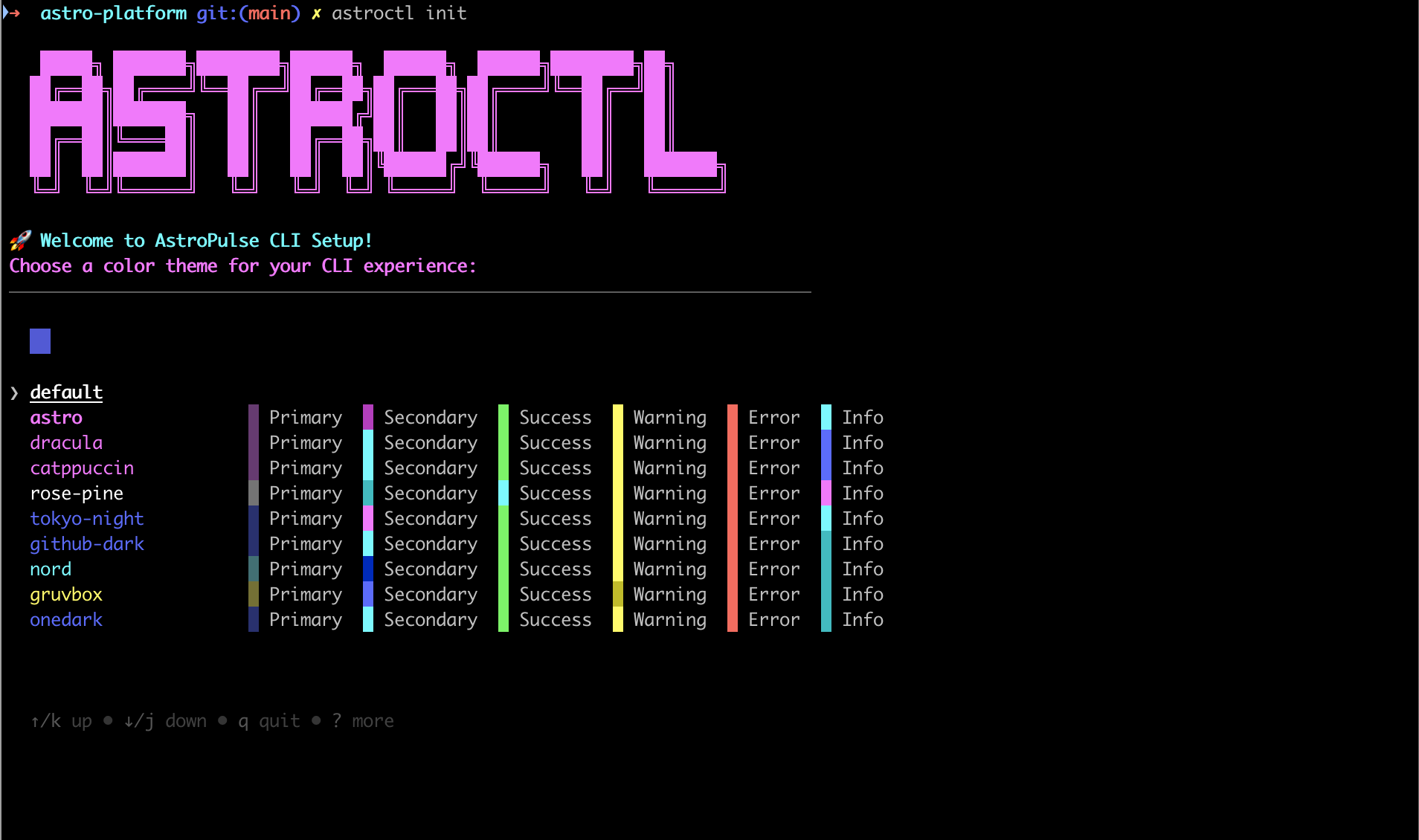
** Other Platforms:** Visit the Get Started guide
📖 Documentation
Full documentation available at AstroPulse Docs
🙏 Thank You
Thank you to our users, customers, and launch partners for making this release possible!
Get Started: Get Started →