Custom MCP Servers (Bring Your Own)
Nova's capabilities are skills, and the set is open: you can extend your AI platform engineer with any remote MCP server, as a first-class skill, in a couple of minutes, no code. Point Nova at the server's URL, it discovers the tools, and from then on the server behaves exactly like a built-in skill: Nova can use its tools across Nova Cloud, astroctl nova, and Slack, and you manage it from the same Skills panel.
If it speaks the Model Context Protocol over Streamable HTTP, Nova can use it — a public data server, a vendor's hosted MCP, or your own internal tool server.
What you need
- A remote MCP server reachable over Streamable HTTP (an
https://…/mcp-style endpoint). - Its authentication, if any. Nova supports four modes: No Authentication, API Key, Bearer Token, and OAuth 2.1. For API Key and Bearer Token you paste the credential; for OAuth 2.1 you connect through the server's authorization flow (no key to paste).
Custom servers are an Enterprise capability and are scoped to your organization.
Add a server
- Go to Open Nova → and click Skills in the sidebar.
- Click Add MCP Server.
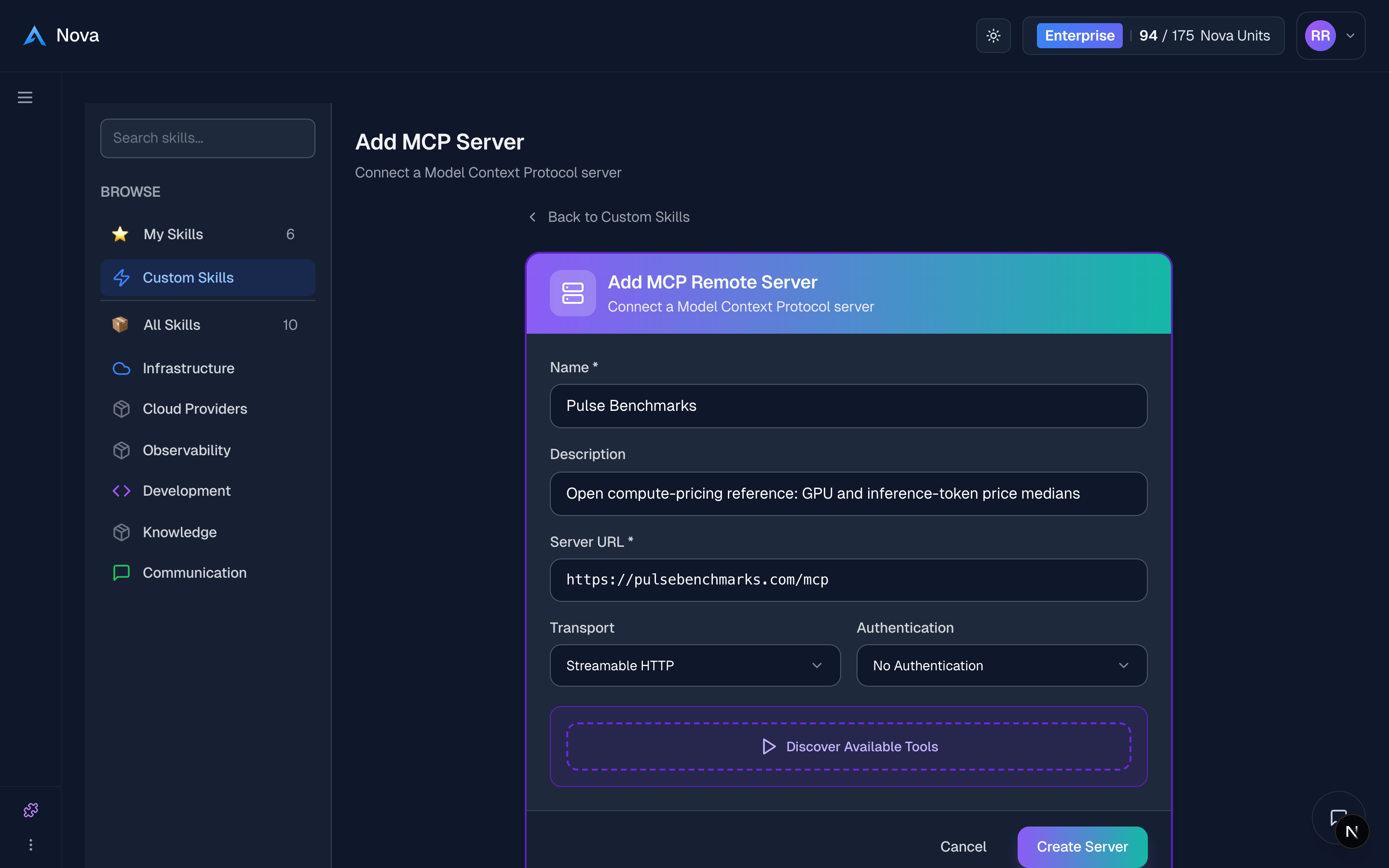
- Fill in:
- Name — how it appears in your Skills list.
- Server URL — the Streamable HTTP endpoint, e.g.
https://mcp.example.com. - Authentication —
No Authentication,API Key,Bearer Token, orOAuth 2.1.- For API Key or Bearer Token, paste the credential.
- For OAuth 2.1, click Connect with OAuth and complete the server's sign-in. The skill can't be created until it shows Connected with OAuth.
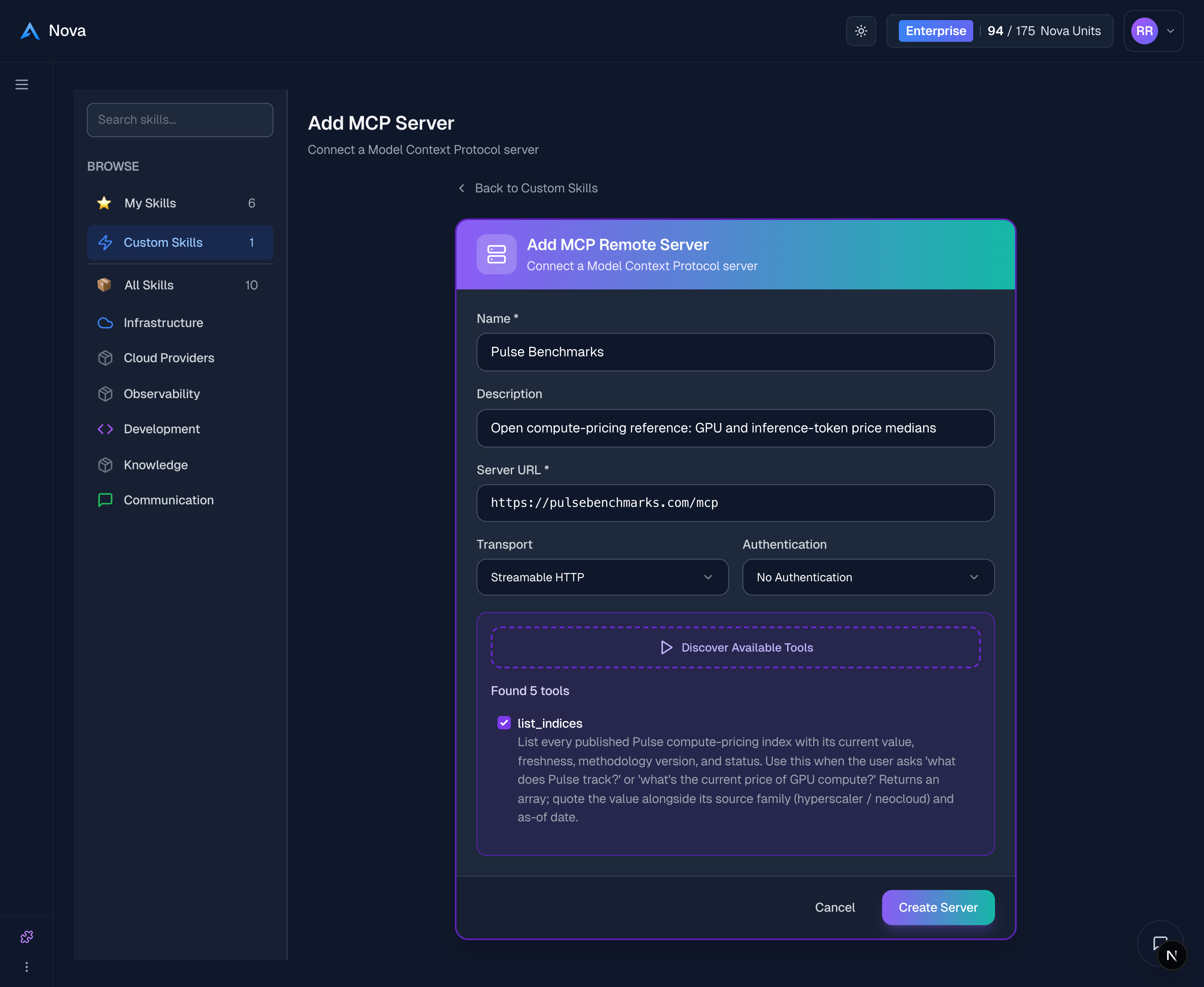
- Click Discover Available Tools. Nova connects to the server and lists the tools it exposes.
- Select the tools you want Nova to use, then click Create Server.
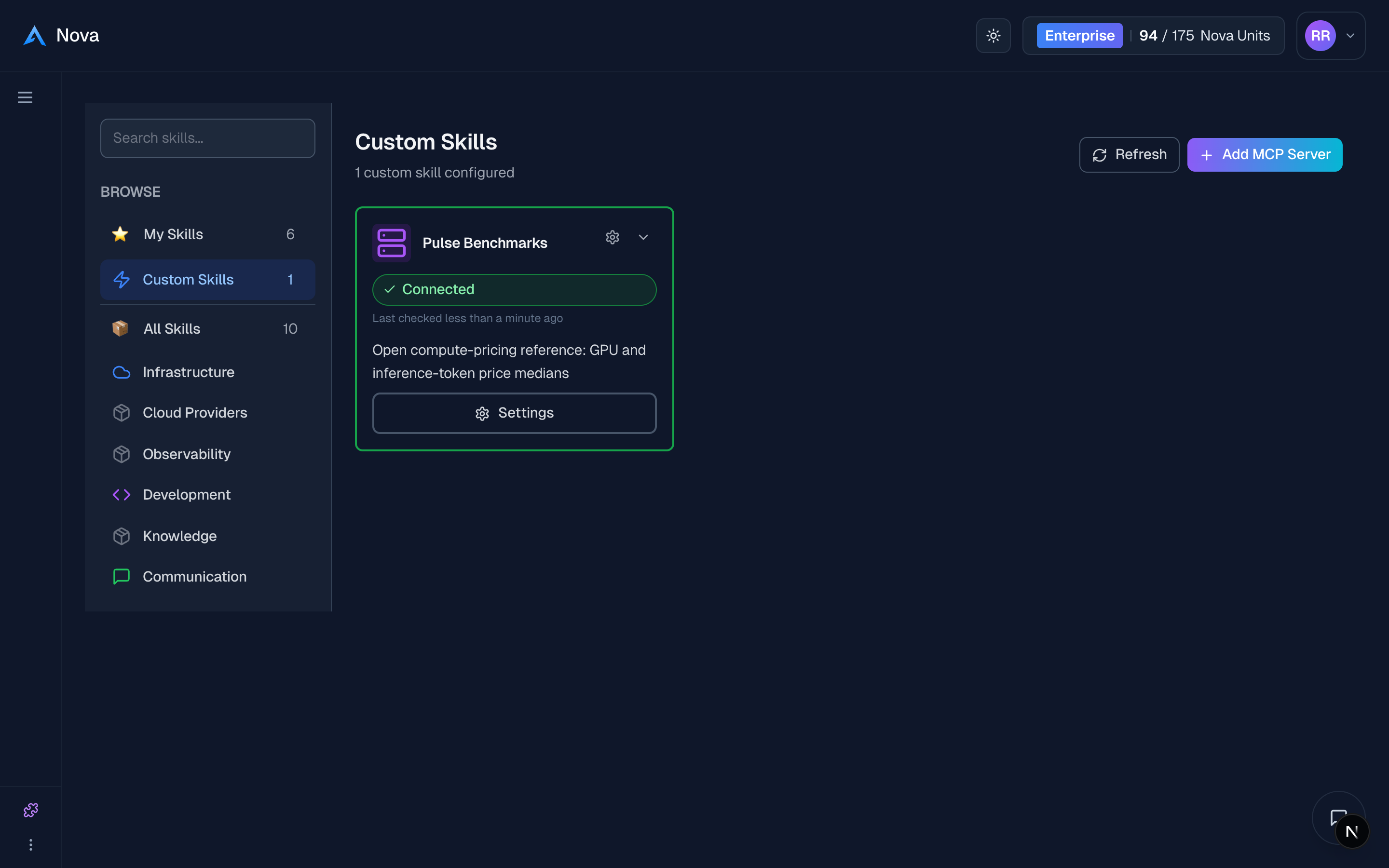
That's it. The server now appears as a skill with a health badge, and Nova can use its tools immediately, across every interface.
"Use the pricing server to compare H100 hourly cost across providers."
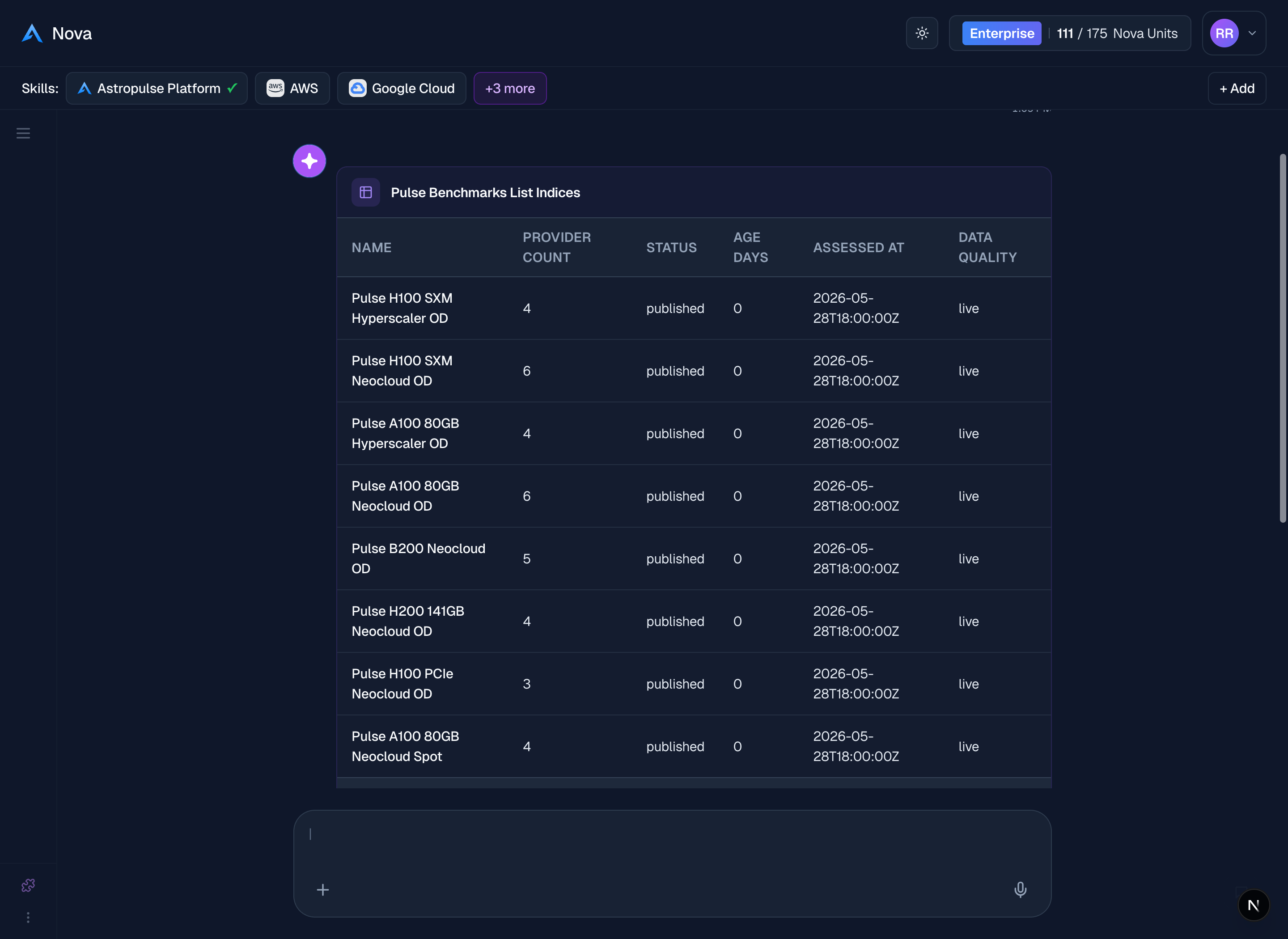
Example: a public data server
Many MCP servers are public and need no auth at all:
- Add MCP Server → Server URL: the server's
…/mcpendpoint → Authentication:None. - Discover Available Tools → select the tools → Create Server.
Nova can now answer questions using that server's data with no further setup.
Manage a server
Open the server from the Skills panel:
| Action | What it does |
|---|---|
| Health badge | Shows whether the server is reachable, based on the last successful connection (Nova does not re-probe it on every page load). |
| Test connection | Re-checks connectivity and refreshes the discovered tools. |
| Settings | Update the URL, authentication, or enabled tools. |
| Remove | Disconnect the server. |
How it works (and what's protected)
- Same path as built-in skills. A custom server is adapted into the same skill model, so it renders through the same card, settings, and health check — the only thing unique is how it is added.
- Credentials stay server-side. Authentication is stored encrypted and injected at request time; it is never exposed to the AI model.
- SSRF-guarded. Server URLs are validated before Nova connects (private and loopback addresses are blocked in production).
- No duplicates. Adding a server that clashes with an existing name or URL is rejected, so you never end up with conflicting tools.
Tips
- Enable only the tools you need to start; change the selection anytime in Settings.
- If discovery fails, re-check the URL and auth and use Test connection — Nova surfaces the server's own error so you can see what went wrong.